
Introduction

I wish I had something fun to play during my break…
I can play GTA on my home PC, but my school computer has so many restrictions…
If that sounds familiar, here are two games worth checking out!
We found GTA-style games that run directly in your browser without a download!
These free browser games offer open-world action and driving. Whether they work on a school-managed or low-spec computer depends on the device and network settings.
Note: These games are intended for free time, such as breaks or after school. Availability depends on your device and network.
Why Can Some Browser Games Work on School Computers?
Both titles are browser games, which means you can open them on a compatible web browser.
- No installation required! You can play without installing a separate game application.
- Open the game website! Visit the game link to get started.
- Accessible on many computers! Browser games may run on modest hardware, although 3D performance varies by device.
Some school or workplace networks restrict gaming websites, so access is not guaranteed.
2 Best GTA-Style Browser Games You Can Play for Free
1. Grand Action Simulator: New York Car Gang
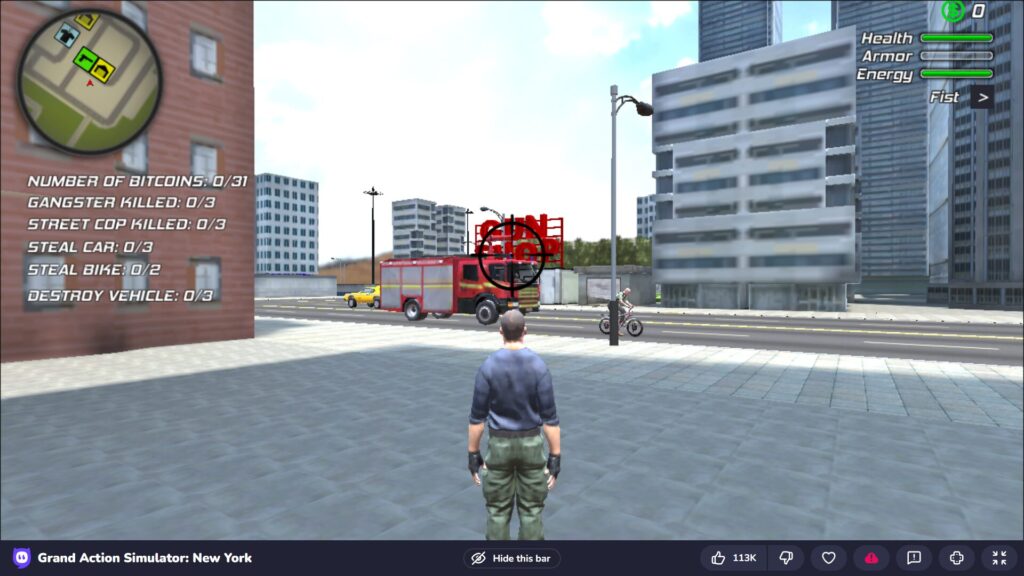
This GTA-inspired action game lets you explore a 3D city, drive vehicles, take on missions, and get into street battles.
The city environment looks impressive for a browser game, and keyboard-and-mouse controls make it easy to jump into the action.
- Highlights:
- A variety of missions to try.
- Explore a large 3D city.
- Look out for helicopters and tanks, too!
URLhttps://www.crazygames.com/game/grand-action-simulator-new-york-car-gang
Grand Action Simulator: New York Car Gang Controls
Wondering how to get started? Here is a quick guide to the basic controls.
Learn these keys first, then explore the city at your own pace.
Keyboard and Mouse Controls
| Action | Keyboard / Mouse |
| Move | W, A, S, D key |
| Sprint | Shift key |
| Jump | Space key |
| Look around | Mouse movement |
| Attack (punch/shoot) | Left click |
| Aim | Right click |
| Enter / exit vehicle | F key |
| Switch weapons | Number (1, 2, 3…) key or mouse wheel |
| Reload | R key |
| Show map | Tab key |
Driving Controls
| Action | Keyboard |
| Accelerate | W key |
| Brake / Reverse | S key |
| Steer left / right | A, D key |
| Handbrake | Space key |
| Change camera | C key |
| Action | Keyboard |
| Ascend | W key |
| Descend | S key |
| Forward / backward | ↑ / ↓ (arrow keys) |
| Tilt left / right | ← / → (arrow keys) |
| Turn nose left / right | A / D key |
Quick Tips
- Find a car first! Driving makes it easier to explore the city. Approach a parked vehicle and press F to get in.
- Try a mission! Look for mission markers on the map. Once you know the controls, follow them to take on new challenges.
- Control customization may be limited, so learning the default keys is a good place to start.
2. Downtown 1930s Mafia
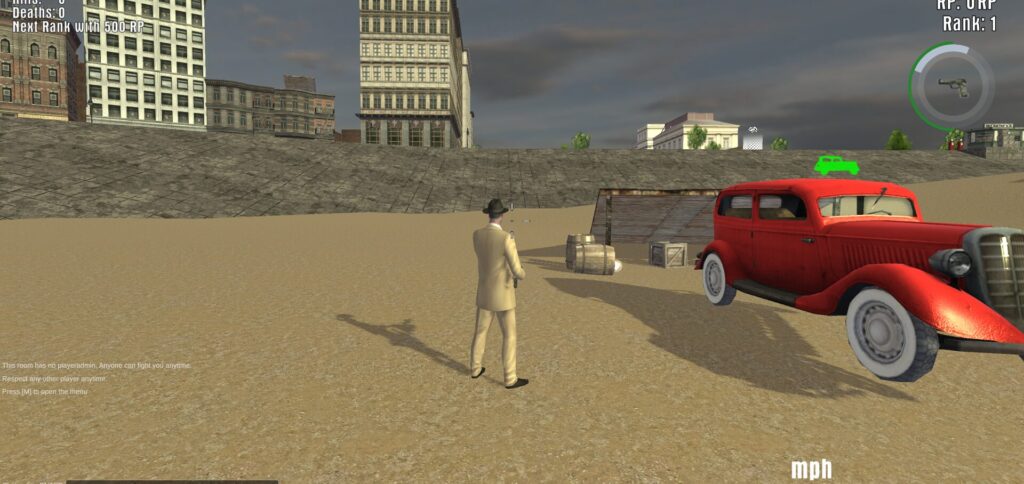
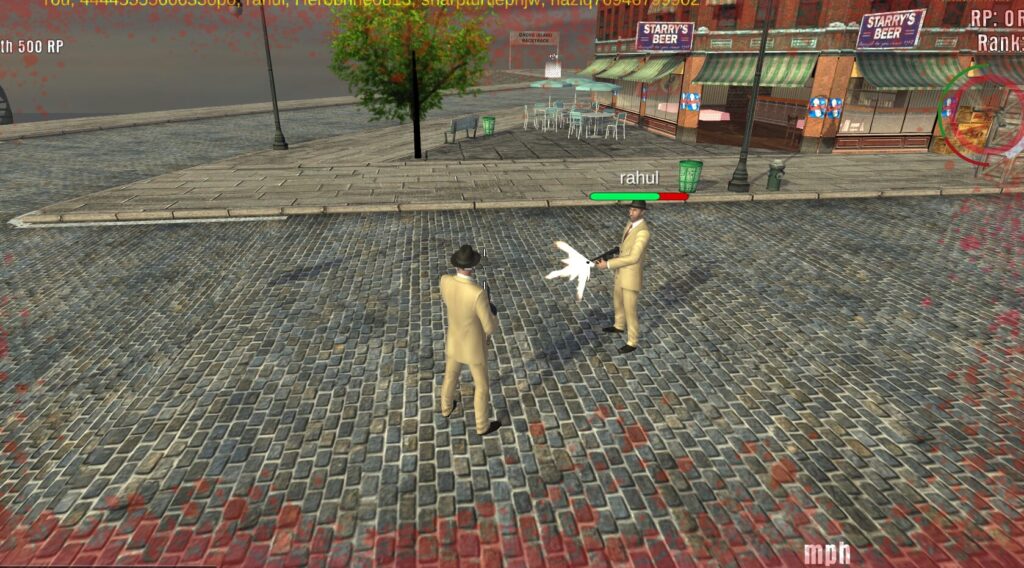
Step into a city inspired by 1930s America. Downtown 1930s Mafia offers vintage streets, classic cars, gangsters, and an old-school crime-movie atmosphere. If you enjoy retro settings and driving around an open city, this one is worth a look.
- Highlights:
- Experience a classic gangster-movie atmosphere.
- Explore streets inspired by the 1930s.
- Drive vintage-style cars.
Downtown 1930s Mafia Controls
Here are the basic controls to help you get started in this retro gangster world.
Keyboard and Mouse Controls
| Action | Keyboard / Mouse |
| Move | W, A, S, D key |
| Sprint | Shift key |
| Jump | Space key |
| Look around | Mouse movement |
| Attack (punch/shoot) | Left click |
| Aim | Right click |
| Enter / exit vehicle | F key |
| Switch weapons | 1, 2, 3 key |
| Reload | R key |
| Action | Keyboard |
| Accelerate | W key |
| Brake / Reverse | S key |
| Steer left / right | A, D key |
| Handbrake | Space key |
URLhttps://www.crazygames.com/game/downtown-1930s-mafia
Final Thoughts
Know another fun browser game like GTA? Share your recommendation in the comments!


コメント